
WELCOME TO
COMB HUB
Experience the next generation of Comb Communications. Faster, safer, and ready for the future. Transition seamlessly today.
Comb Hub Explained
Watch the official introduction to see how Comb Hub transforms your migration journey with intuitive design and powerful new features.
Core Features
We've rebuilt the foundation to support enterprise scale while simplifying the interface.
Face, Wave, and more
Support for next-generation biometric technologies, enabling secure access through wave readers, facial recognition, and more.
Modern, Intuitive Interface
Redesigned from the ground up to deliver clean, intuitive, and clutter-free workflows that make system management faster and easier.
Improved Speed
Engineered for performance, delivering faster load times and reliable real-time data syncing across the system.
Role-Based Access Control
Advanced role-based access control that lets you define precise permissions for different user roles and access levels.
Flexible, Scalable Architecture
A dynamic platform built for complex environments, enabling fast setup and easy customisations.
Subscription Management
A modern subscription-based model that replaces traditional license management, offering greater system customisation.
Control in the
Palm of Your Hand
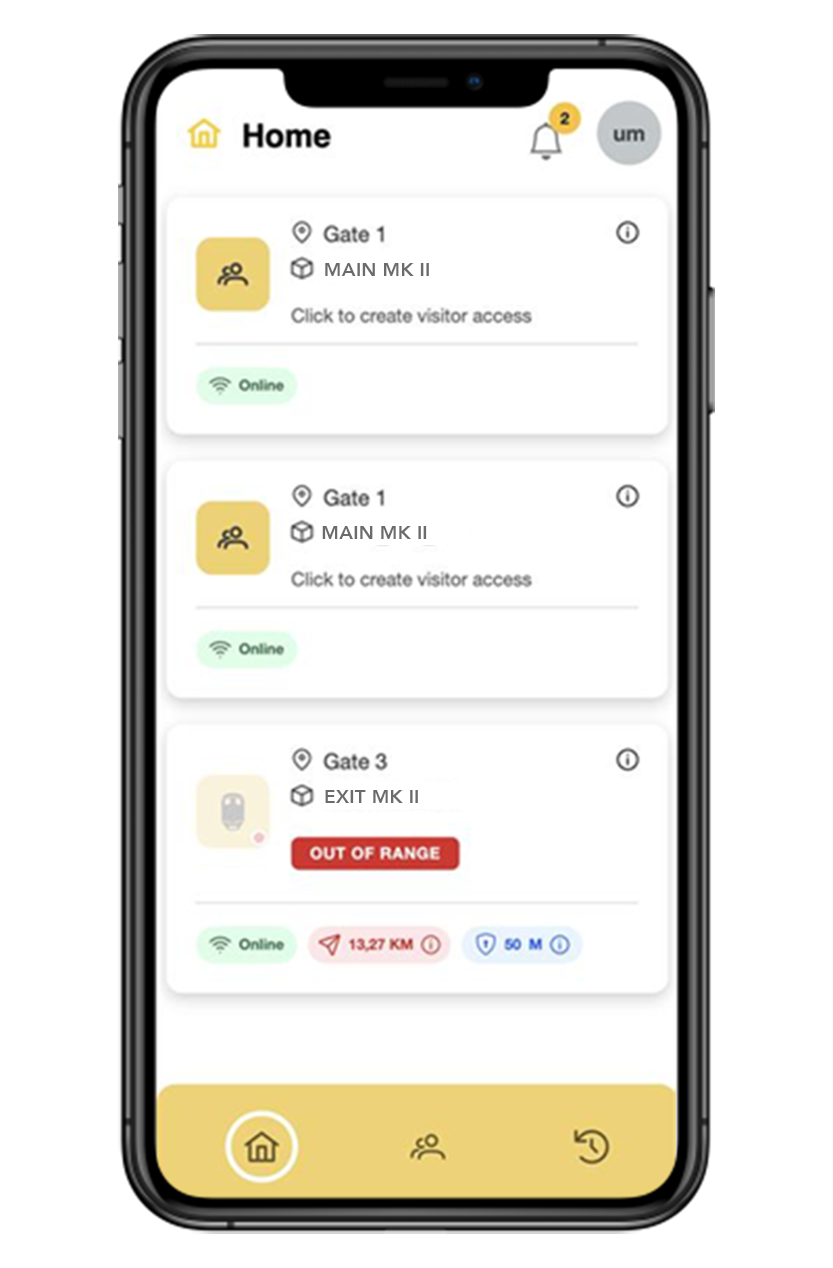
The new Comb Hub app brings the power of our ecosystem directly to your smartphone. Open gates, Manage visitors, receive alerts from anywhere.
- check Open gates from your phone
- check Create and manage guest PINs
- check View and manage access history


Capabilities and Features comparison
Compare the legacy Portal capabilities with the advanced features of the new Comb Hub.
| Feature | Comb Portal Legacy | Comb Hub New |
|---|---|---|
| System Performance | Standard Load Times | Faster Load Times |
| Organization Structure | Basic Single Organization | Dynamic structure to support complex systems scalable for growth |
| Mobile Experience | Desktop Optimized | Responsive Native Feel |
| User Management | Single Role Based | Role Based Access Control (RBAC) |
| License & Subscription | Basic License Management | Advanced, Flexible Subscription Management |
Resources & Tutorials
Visual guides specific to your role in the ecosystem.
Tip: Try keywords like “mobile app”, “gate”, “PINs”, “install”.
laptop
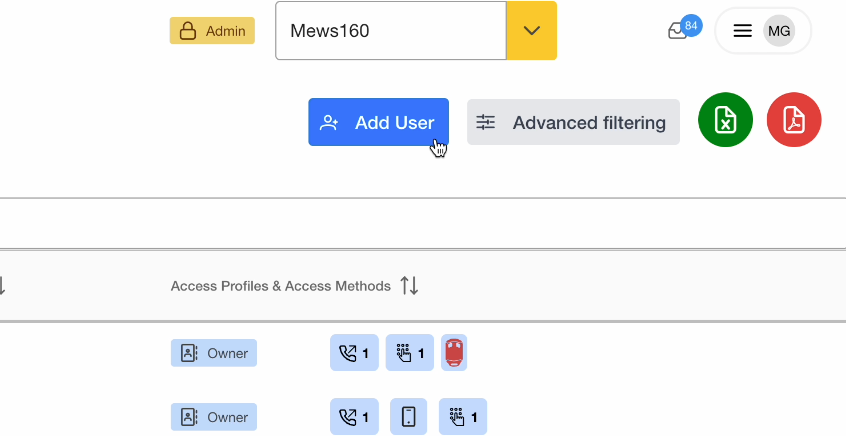
Comb Hub - Web Portal
expand_more
Comb Hub - Web Portal

smartphone
Comb Hub - Mobile App
expand_more
Comb Hub - Mobile App

The Migration Journey
A transparent timeline of how we handle your transition.
Step 1: Complete Organisation Checklist
Complete the organisation checklist to ensure all your data is ready for the migration.
Step 2: Request Migration
Request a migration by clicking the button below and completing the migration request form.
Request MigrationStep 3: Support Team Migrate Organisation
The support team will migrate your organisation to the new Comb Hub and you will be notified when it is complete.
Step 4: Migration Complete
The migration is complete, and you can now access Comb Hub and manage your account.
All users/tenants who use the mobile app will receive an email to download the mobile app and register their account.
Mobile App User Setup Guide arrow_downwardWeekly Migration Sessions
Join us every Wednesday from 8:30 AM to 10:00 AM for our online migration sessions. We'll walk you through the migration process step-by-step and answer any questions you may have.
Comb Products
Explore the hardware built for secure, reliable access control—click a product to see the details.
Comb MK II Combo
Advanced Intercom Access System for larger
organizations
Flagship
model
keyboard_arrow_down
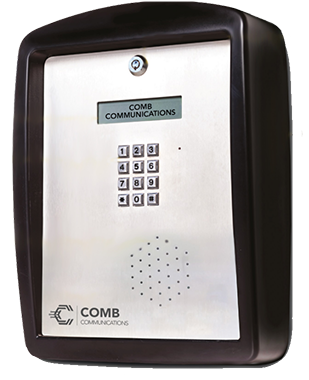
Comb MK II Combo
Advanced Intercom Access System for larger organizations
Comb MK II Combo
The next generation smart intercom that gives you all the control you are accustomed to — and more. Ideal for cluster complexes, town-houses, business parks, residential estates and several other access managed environments.
GPRS Connectivity
High-speed reliable data syncing with Comb Hub cloud servers.
Keypad Access
Durable tactile keypad for secure resident and visitor entry.
Clear Voice Audio
Crystal clear two-way communication with noise cancellation.
Vandal Resistant
Rugged stainless steel construction built to withstand impact.
Clear Voice Audio
Crystal clear two-way communication with noise cancellation.
Vandal Resistant
Rugged stainless steel construction built to withstand impact.
MK II Intercom — Sim Card Enabled
The new smart intercom with way, way more…IoT
keyboard_arrow_down
MK II Intercom — Sim Card Enabled
The new smart intercom with way, way more…IoT
Introducing the MK II Intercom — Sim Card Enabled
The next generation smart intercom that gives you all the control you are accustomed to — and more. Ideal for cluster complexes, town-houses, business parks, residential estates and several other access managed environments.
Integrate with Comb Hub
A comprehensive web-based facilities management platform with intuitive navigation and reporting.
Built for real environments
Ideal for estates, business parks, complexes, and access managed environments.
Third-party integration ready
Easily integrate with third-party devices and services.
Five relays
5 relays allow connection and control of up to 5 devices.
Smart intercom + IoT
Next-gen capabilities designed for modern access control at scale.
Secure by design
Trusted, reliable access control with professional install and support options.
MK II NS Intercom — Internet / VoIP Enabled
Internet / VoIP enabled intercom for modern access managed environments
Flagship
model
keyboard_arrow_down
MK II NS Intercom — Internet / VoIP Enabled
Internet / VoIP enabled intercom for modern access managed environments
MK II NS Intercom — Internet / VoIP Enabled
An internet / VoIP enabled intercom built for estates and access managed environments that need modern connectivity and reliable control. Integrates with Comb Hub for centralised management and reporting.
Internet / VoIP Connectivity
Modern connectivity for faster provisioning, monitoring, and remote management.
Integrate with Comb Hub
Central dashboards, reporting, user management, and exception-based insights.
Five relays
5 relays allow connection and control of up to 5 devices.
Third-party integrations
Third-party integrations available for other forms of access methods.
Built for estates & complexes
Ideal for access managed environments requiring reliable, scalable operation.
Secure access control
Professional-grade security, permissions, and audit-friendly event history.
Comb Switch
Smart compact access control — where convenience meets control
keyboard_arrow_down
Comb Switch
Smart compact access control — where convenience meets control
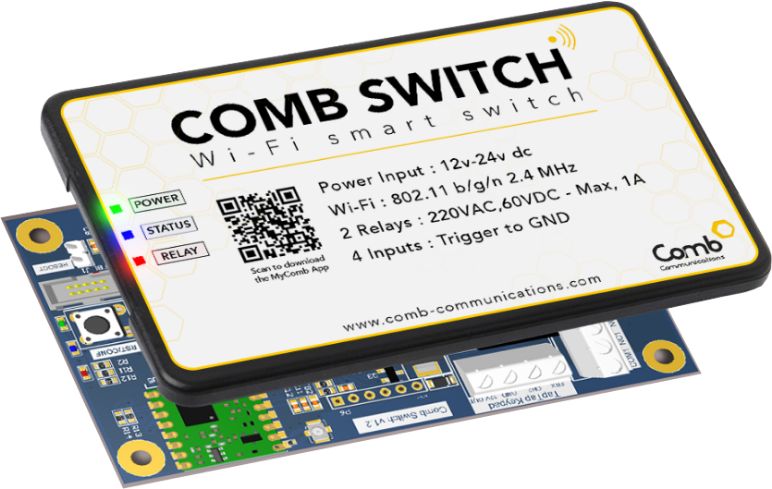
Comb Switch
A compact smart access solution designed for fast deployment and everyday convenience. Integrates with Comb Hub for centralised facilities management.
Fast, simple setup
Designed for quick deployment with a clean, compact footprint.
Integrate with Comb Hub
Central management for users, access, and reporting across sites.
2 relays
Four inputs and two relays for flexible device connection and control.
Wi‑Fi connectivity
Ability to connect to Wi‑Fi for internet access.
Mobile-first control
Convenient day-to-day access with modern app workflows.
Secure access
Strong permissions and auditability with trusted Comb ecosystem support.
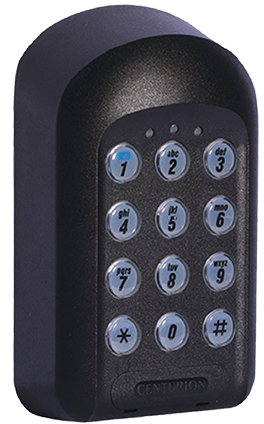
Tap Keypad
Reliable keypad access for the Comb ecosystem
keyboard_arrow_down
Tap Keypad
Reliable keypad access for the Comb ecosystem
Tap-Tap Keypad
A durable keypad built for secure resident and visitor entry workflows in the Comb ecosystem. Designed for reliable day-to-day use in access managed environments.
PIN & code workflows
Supports common resident + visitor entry flows with keypad interaction.
Built to last
Durable hardware for high-use environments and outdoor installs.
Comb ecosystem compatible
Works alongside Comb hardware + management workflows for a unified experience.
Secure access control
Professional-grade access security with installer + distributor support.
Backlit keypad
Includes a backlit keypad for easy use in low-light conditions.
Multi‑colour LED indicators
Multiple colour informative LED lights provide clear status feedback.
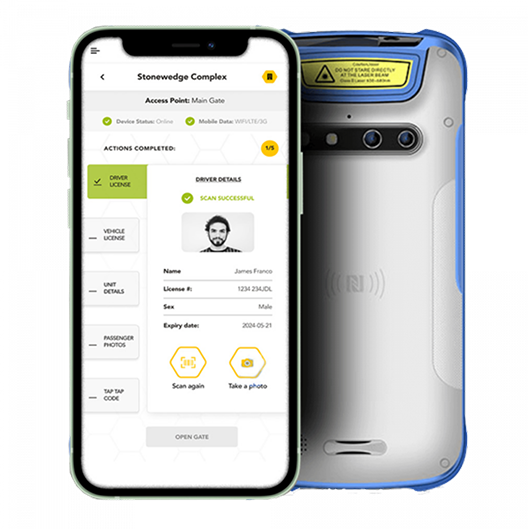
Comb Scan
Where innovation meets precision
keyboard_arrow_down
Comb Scan
Where innovation meets precision
Revolutionise visitor management
Tap, scan, and experience seamless convenience like never before. Integrates with Comb Hub for centralised management and reporting.
Note: This product requires a Comb intercom or Comb Switch to open gates.
License scanning
Precision visitor management with fast scan workflows.
Tap. Scan. Go.
Designed for seamless, convenient day-to-day entry processing.
Integrate with Comb Hub
Centralised reporting and visibility across devices and sites.
Customisable access rules
Customise access rules and configurations to meet organisation preferences.
Vehicle lookup
Vehicle lookup feature to get information on visitor from vehicles license plate numbers.
Works with Comb access
Requires a Comb intercom or Comb Switch to open gates.
Distributors
Our trusted distribution partners
Installer List
Find a verified installer in your area. Use the location filters to narrow the list.
Highveld Access Solutions
Commercial & multi-residential installs
Cape Secure Installations
Strata + access control specialists
Durban Entry Systems
New builds + retrofits
Tshwane Security Tech
Enterprise-grade deployments
Are you an installer?
Request to be added to the verified installer list. (We’ll link this to a form later.)